Step 1
Press START
Tap START on the poster to open the classic editor. Wait for it to load before choosing parts; use Retry if loading fails.
Make a cute square face avatar in minutes with easy pixel-perfect parts for hair, eyes, outfits, and more.
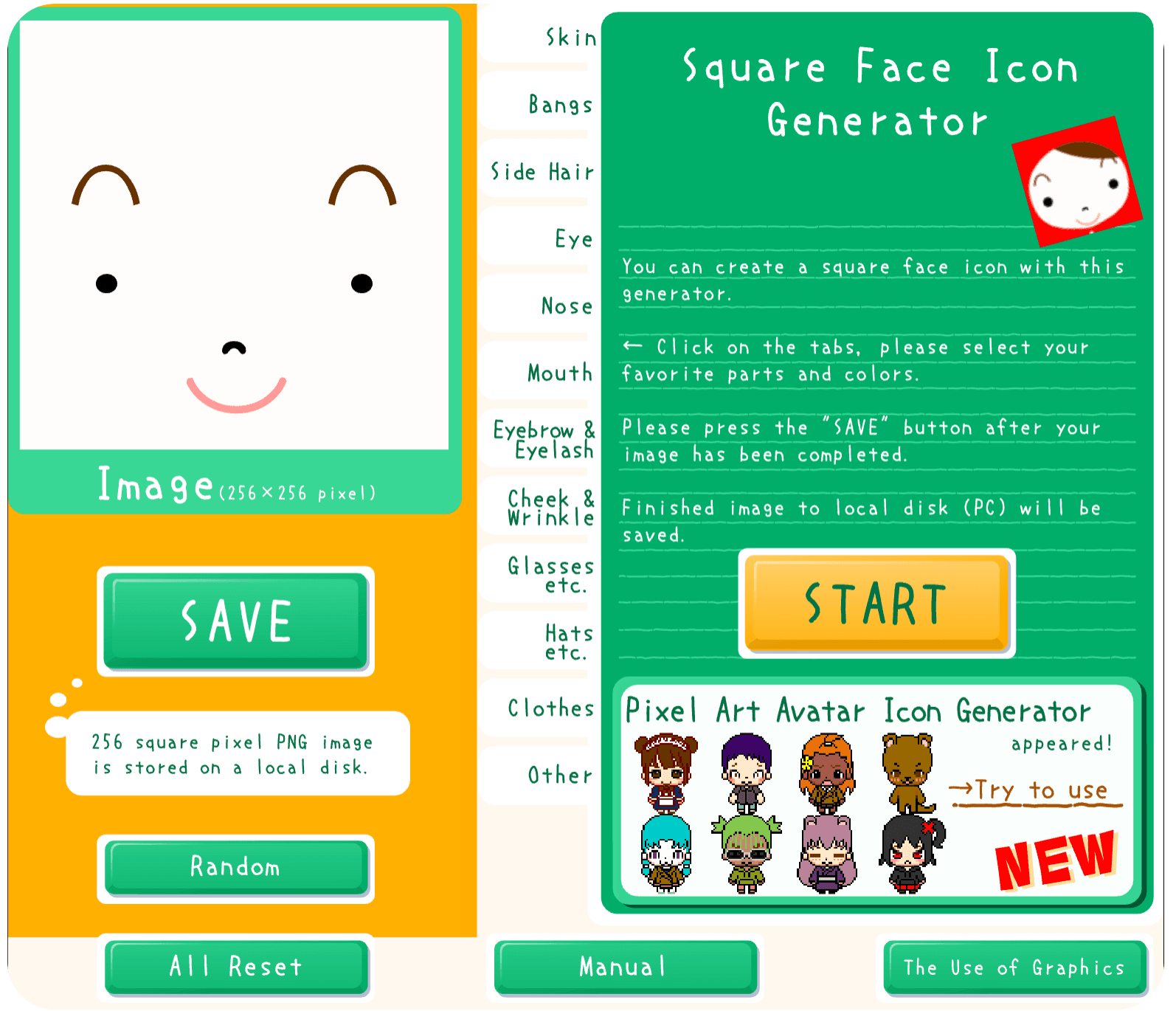
Start with the poster, build your face one part at a time, then save the finished image.
Step 1
Tap START on the poster to open the classic editor. Wait for it to load before choosing parts; use Retry if loading fails.
Step 2
Use the tabs to choose skin, bangs, side hair, eyes, nose, mouth, accessories, hats, and clothes. Change one part at a time and check the preview.
Step 3
Use Save PNG below the editor or SAVE inside it. The download is a 256 × 256 PNG. Keep a copy on your device before using it as a profile image.
Compare these examples and their styling steps. Choose a manual reference to keep above the editor while you try your own parts and colors.

Round frames and a red top stand out against a dark skin tone.

Red crossed clips frame an angled fringe and a small pink mouth.

A red band contrasts with a pale face and large round glasses.

Bright red hair draws attention to the sweeping fringe and a dark round lens.

Straight bangs and curled side strands frame a pale face.

A broad grin and a dark eye detail create a bold mascot expression.
Combine the built-in parts, explore different colors, and export the result as a small image.
The classic editor combines ready-made face, hair, and clothing parts. Choose each layer in its tab to build your expression and silhouette.
Try colors in the editor or use Randomize to explore a new combination. Randomize changes the current face, so save a version you like first.
Saving exports the visible avatar as a PNG. A downloaded image or gallery example cannot be reopened as editable parts; keep it as a reference for future versions.
A few practical features for making and saving a small avatar.
Choose hair, eyes, outfits, and accessories without drawing each detail from scratch.
Customization runs on your device. Save the finished image locally when you are ready.
Export a 256 × 256 image for a profile picture or a small character reference.
Explore a new combination, then adjust individual parts to make it your own.
Open the editor and start choosing parts without creating an account.
Ideas for using your saved PNG, with a few checks to help it look clear in its new home.
Pick a clear expression and contrasting hair color. Check the saved image at a small size and in a circular crop before uploading it.
Reuse a few colors across your profile image and page. Upload the PNG yourself; the share buttons here send a link to the generator.
Try hair, glasses, and expressions for an early character idea. Save separate PNGs to compare alternatives outside the editor.
Use a few different faces to distinguish people in a personal interface mockup. Keep copies of the images so the same face is easy to reuse.
Helpful answers about pricing, downloads, mobile use, and what to do if the classic player takes longer than expected to load.
Start free, build a cute square face avatar, and download the PNG whenever the look feels right.